
Setting up BusNetwork
Accessing the BusNetwork Module in TEQ
The BusNetwork module allows you to collaborate with subcontractors, share trips across companies, and stay informed through automated notifications. Before using the module, make sure the correct permissions are enabled for your team.
Step 1: Configure User Role Access
- Go to Settings → Admin → User Role.
- Select the user role that needs BusNetwork access and click ✏️ Edit.
- Under Features, enable all Network Trip features.
- Under Actions → Network Trip, select the required permissions (e.g., invite company, settings).
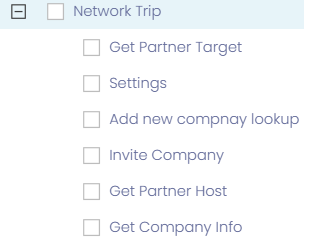
Once enabled, employees can:
- View and manage subcontractors
- Accept or decline incoming network trips
- Send and receive invitations
- Configure notification preferences
Step 2: Access BusNetwork Partners
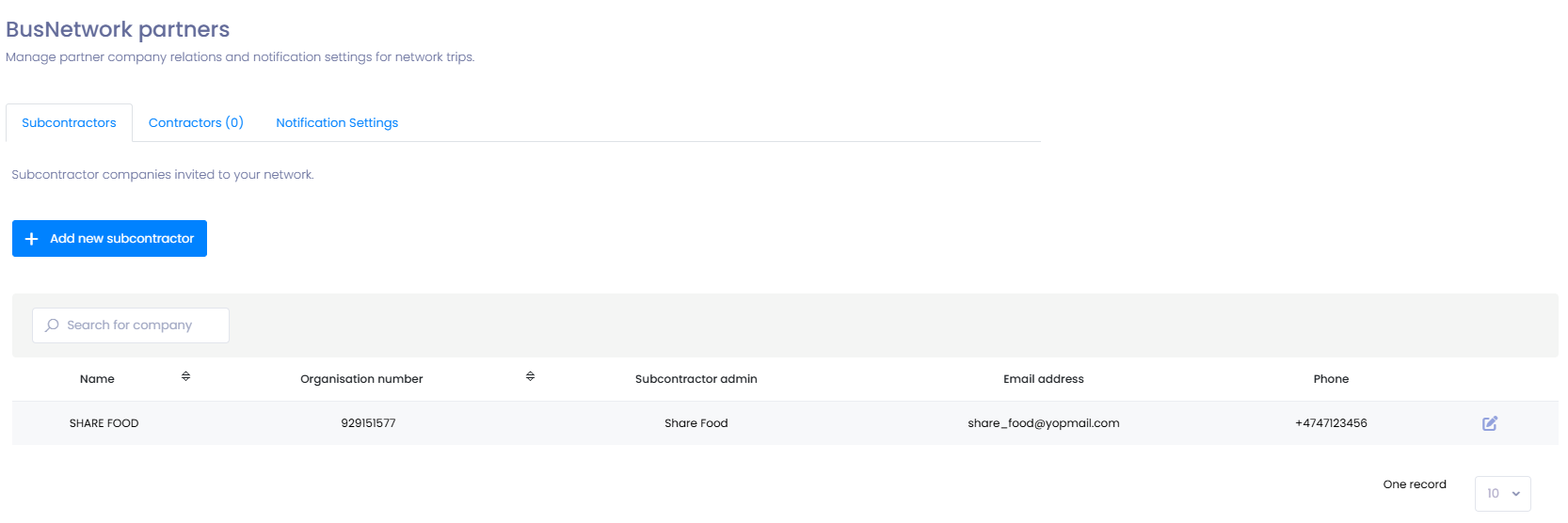
- Go to Planning → BusNetwork Partners.
- From here, users can see existing subcontractors, add new partners, and manage collaboration settings.
Step 3: Configure Notification Settings
To stay up-to-date on all network activity:
- Go to Planning → BusNetwork Partners.
- Click Notification Settings.
- Enter the email address where notifications should be sent.
- Save your changes.
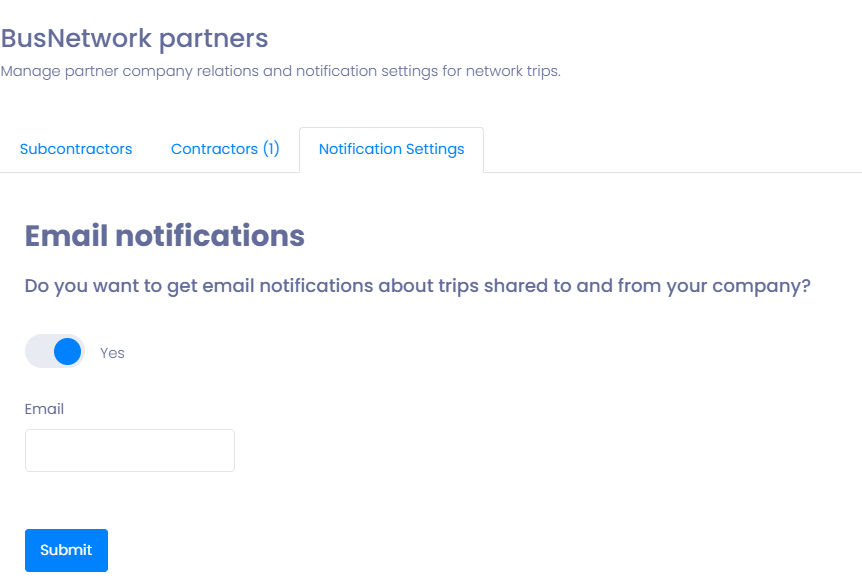
You will now receive:
- Updates on inbound and outbound network trips
- Alerts when a subcontractor responds to a shared trip
- Invitations from other TEQ companies
🛠 Troubleshooting
BusNetwork features not visible
- Verify your user role includes Network Trip features under Features.
- Ensure relevant Network Trip permissions are enabled under Actions.
- Log out and back in after updating permissions.
Cannot invite subcontractors
- Check if the user role includes the “Invite Subcontractor” action permission.
- Ensure the company organization number and email address are filled in correctly.
Not receiving email notifications
- Confirm the email address is added under Notification Settings.
- Check your spam or junk folder.
Unable to see partner trip requests
- Confirm your company has an active BusNetwork connection.
- Ensure the user has permission to view inbound network trips.
Still having trouble?
- Contact TEQ Support with screenshots and the affected user role for quicker assistance.