
Publishing
Publishing News & Handbook Content to the Ferdia Driver App
Keep your drivers informed and empowered by sharing important company updates and making your digital handbook easily accessible through the Ferdia Driver App. TEQ’s Publishing tools allow you to post news articles, upload documents, and maintain a structured, searchable handbook.
Posting News Articles
News articles help you communicate internal updates, protocol changes, safety notices, and general company information directly to your drivers’ phones.
Step 1: Open the News Publishing Section
- Navigate to Publishing → News.
- Click + Create Article.

Step 2: Create Your News Article
- Add a title and body text.
- Personalize the style to match your company’s communication tone.
- Upload supporting content such as:
- 🖼️ Images
- 📄 Documents
- 🔗 Links
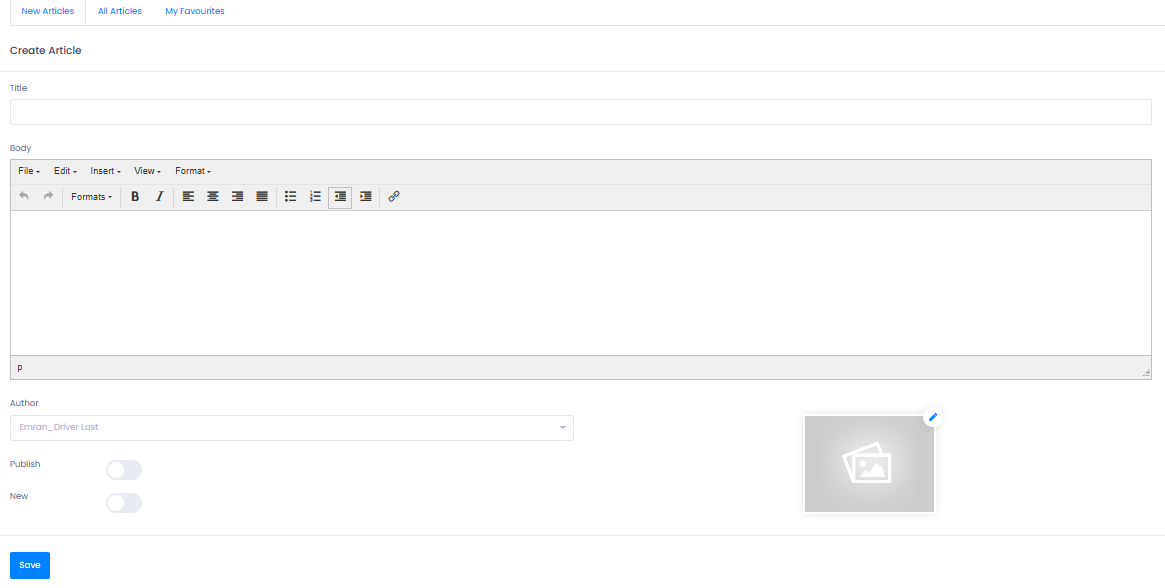
Drivers will see the article instantly in the News section of their Ferdia Driver App.
Creating and Publishing a Handbook
The digital handbook ensures that drivers always have access to up-to-date guidelines, routines, and safety information. Content is accessible at any time from the app’s Handbook section.
Step 1: Create Handbook Categories
- Go to Publishing → Handbook.
- In the Category area, click + New Category.
- Create categories that match your content, such as:
- Company routines
- Vehicle guidelines
- Safety rules
- Policies

Categories help drivers navigate the handbook more efficiently.
Step 2: Add Handbook Content
- Navigate to the Handbook tab.
- Click + New Handbook.
- Add:
- Text
- Images
- Order
- Assign the handbook entry to one of the categories you created.
- Save the entry.
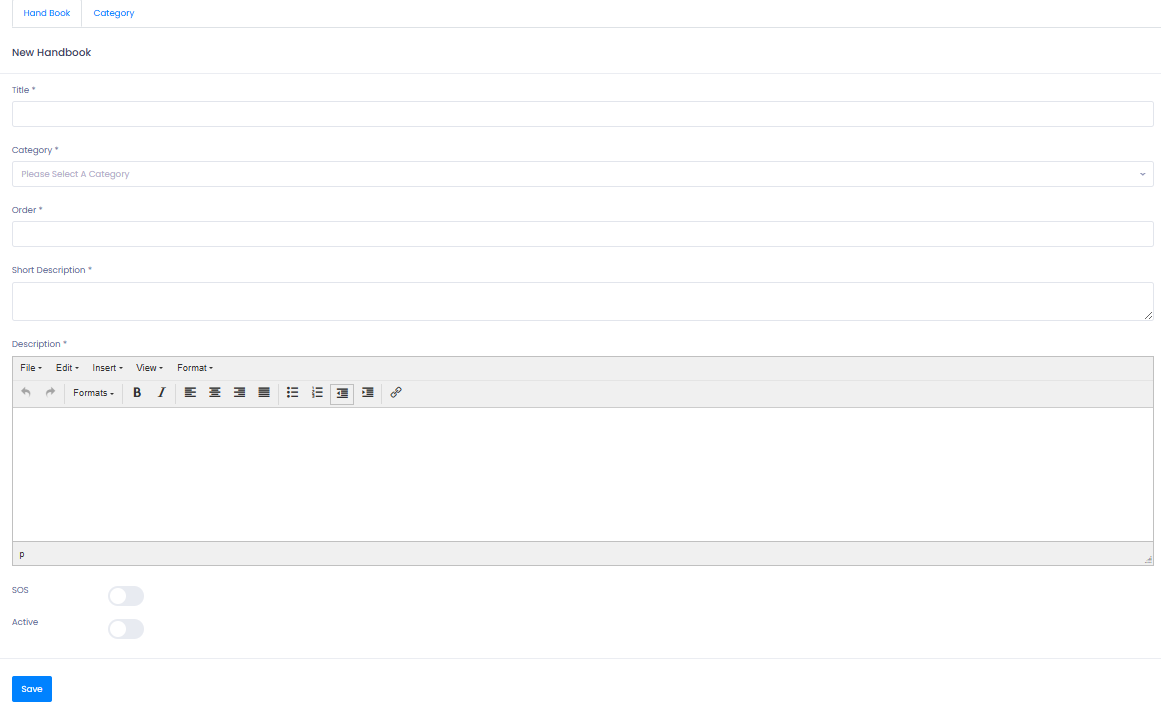
Your handbook is now visible in the Handbook section of the Ferdia Driver App.
Troubleshooting
Drivers cannot see a newly published article
- Confirm the article was saved and published.
- Refresh the Publishing → News page to ensure status is correct.
- Ask the driver to refresh their app or reopen the News tab.
Handbook not appearing in the app
- Check if the Handbook entry is assigned to a category.
- Ensure images or documents used follow supported formats.
- Verify the driver is using the latest version of the Ferdia Driver App.
Cannot create a new article or handbook entry
- You may be missing publishing permissions.
Review under Settings → Admin → User Roles.
Images or documents not uploading
- Check file size and format.
- Try re-uploading after refreshing the page.
Still having trouble?
- Reach out to TEQ Support with screenshots and article/handbook names.